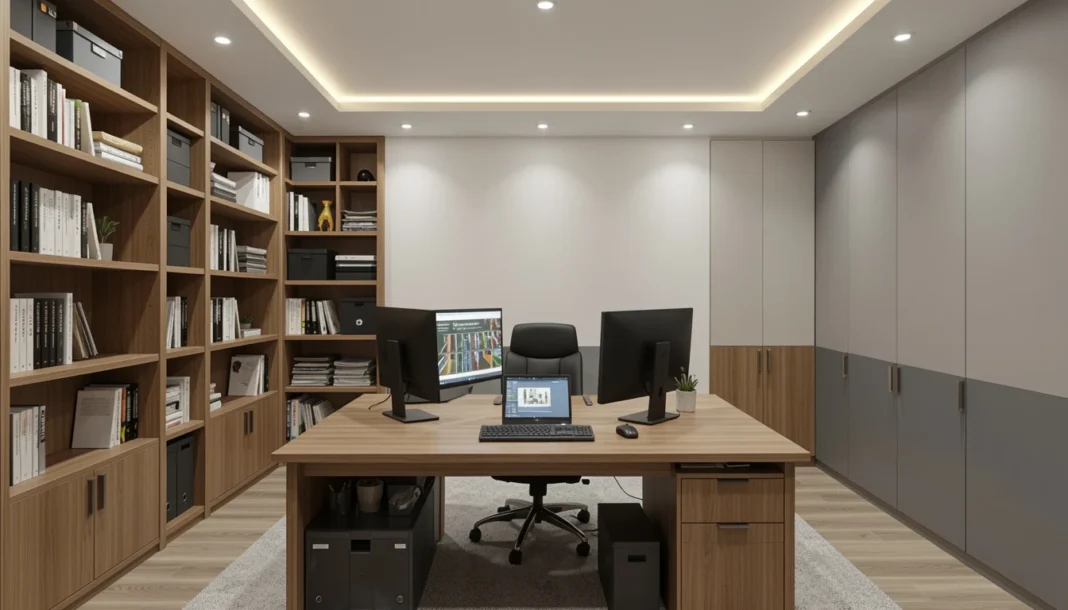
Planning a spare room conversion? This guide maps the full process—from initial room assessment and circuit load planning to local permit rules and realistic budgeting—so you can build a distraction-free, ergonomically compliant workspace before spending a dollar.
Start With a Room Assessment
Before buying a single piece of furniture, walk through the room with a critical eye. The goal is to understand what the space already offers and what it’s missing.
Space, Dimensions, and Natural Light
A functional home office needs enough floor space for a desk, a chair with full range of motion, and storage. A 10×10-foot room is a workable minimum; anything under 80 square feet will feel cramped once furniture and equipment are in place.
Natural light is a strong asset but also a consideration. A window directly behind your monitor creates glare and eye strain. Ideally, natural light should come from the side — left or right of your primary work position. If the room faces north, you’ll get consistent, indirect light throughout the day, which is actually ideal for screen work.
Check the window size as well. If the room was previously used as a bedroom and you’re in the US, most building codes require it to have egress windows (minimum 5.7 square feet of openable area). That’s already a positive — it means the room has reasonable ventilation potential.
Ventilation and Temperature Control
Spare rooms that sit unused are often the worst-served by the home’s HVAC system. Registers may be partially closed, ducts may be undersized, or the room may simply run warmer because heat from electronics has nowhere to go.
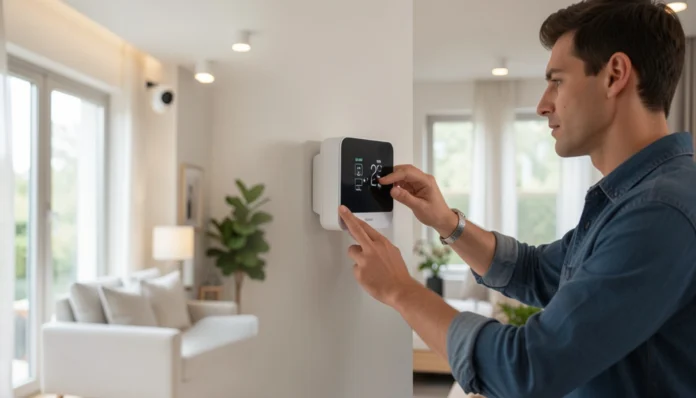
Test the baseline temperature during peak afternoon hours using a calibrated digital thermometer. If readings consistently sit 3–4°F above adjacent rooms, your HVAC zones likely need rebalancing or a supplemental mini-split. Maintain 68–72°F to align with ASHRAE Standard 55 for sustained focus. When upgrading to a mini-split, prioritize ENERGY STAR-certified models to lower long-term utility costs while maintaining consistent output. Electronics generate consistent heat, and an uncomfortable room kills productivity faster than almost anything else.
Electrical Upgrades for a Home Office
This is where most spare room conversions fall short. Bedroom circuits only expect low-draw devices like lamps and TVs. Plugging in desktop workstations and printers will overload them, risking tripped breakers and equipment damage.
Outlet Count and Placement
Most people underestimate how many outlets a modern workspace requires. A basic setup — desktop computer, monitor, printer, desk lamp, phone charger, and a small fan — already puts you at 6–8 devices. Add a second monitor, a standing desk with a built-in power strip, or audio equipment, and that number climbs quickly.
Install 6–8 duplex outlets along usable walls, spacing them no more than 6 feet apart. Place clusters behind the desk, near the router, and at the entry point to prevent extension cord reliance. This 6-foot spacing aligns with NEC Article 210.52, ensuring safe load distribution without overloading existing breakers. Floor outlets are worth considering if your desk will sit in the center of the room, away from the walls.
For USB-A and USB-C charging, modern combination outlets (duplex outlets with integrated USB ports) are a clean upgrade that eliminates bulky adapters. They cost $20–$40 per outlet and are a straightforward DIY install if you’re comfortable with basic electrical work.
Dedicated Circuits and Load Requirements
If you’re running a desktop workstation, multiple monitors, and any heat-generating equipment like a laser printer or space heater, you should strongly consider adding a dedicated 20-amp circuit for your office. A standard 15-amp bedroom circuit maxes out at around 1,800 watts of continuous load. A laser printer alone can pull 500–900 watts during a print cycle.
Running a new circuit from the main panel to the room costs $200–$600, depending on distance and wall access. This is work that typically requires a licensed electrician and, in most jurisdictions, a permit, which leads to the next major section.
For network wiring, consider having a Cat6 Ethernet cable run to the room at the same time as any electrical work. While a hardwired Cat6 run guarantees zero latency, pairing it with a Wi-Fi 6E mesh system ensures seamless coverage for mobile devices and backup connectivity. Wired connections remain faster and more stable for video calls and large file transfers. Running cable after walls are closed is far more expensive than doing it during an active project.
Lighting That Works for Screens and Focus
Lighting is one of the most overlooked elements of a home office conversion, yet it has a direct impact on eye strain, fatigue, and video call quality.
Ambient, Task, and Accent Lighting
Good office lighting uses three layers. Ambient lighting provides overall room brightness — typically a ceiling fixture or recessed lights. Task lighting targets your immediate work surface, such as a desk lamp positioned to illuminate your keyboard and documents without reflecting off your screen. Accent lighting (optional) reduces the contrast between bright screens and dark walls behind them, which is the primary cause of eye fatigue during long sessions.
For ambient lighting, recessed LED downlights on a dimmer switch give you the most control. A 10×10 room typically needs 4 to 6 can lights for even coverage. The dimmer allows you to reduce brightness during video calls or late-evening work without switching to a completely different fixture. When swapping ambient fixtures, prioritize ENERGY STAR-certified models to lower long-term utility costs.
Controlling Glare and Color Temperature
Color temperature matters significantly for a workspace. Bulbs in the 3,000–4,000 Kelvin range (neutral white to cool white) support alertness and reduce eye strain during daytime work. Warmer bulbs (2,700K) are better for evening use if you want to wind down without disrupting your sleep cycle.
If you add a smart bulb system — such as those compatible with common home automation platforms — you can schedule the color temperature to shift automatically from cooler daytime tones to warmer evening tones. This is a $50–$150 upgrade that makes a real difference for anyone working irregular hours.
Do You Need a Permit to Convert a Spare Room?
This is the question most guides skip, and it’s one of the more important ones to get right.
When a Permit Is Required
The short answer: it depends on what work you’re doing, not just what you’re calling the room.
No permit is typically needed if you’re only making cosmetic changes — painting, replacing flooring, adding furniture, or swapping out light fixtures for equivalent ones.
A permit is usually required for:
- Adding new electrical circuits or moving the panel
- Installing new outlets beyond the existing circuit
- Any structural changes (removing walls, adding a window)
- HVAC modifications or adding a new mini-split unit
- Running new ductwork
In the US, electrical work permits are required in almost every jurisdiction when adding circuits or subpanels. The permit process ensures that an inspector verifies that wiring was done to code, which protects you from fire risk and protects your homeowner’s insurance coverage.
If you’re converting the room and plan to claim it as a business deduction, consult a tax professional. The IRS and local tax authorities have specific definitions for a “dedicated home office,” and unpermitted work can sometimes complicate both tax filings and future home sales.
How to Check Local Requirements
Your first call should be to your local building department — usually the city or county planning office. Most now have online portals where you can confirm permit thresholds. When in doubt, pull the permit. The cost ($50–$200 for most residential electrical permits) is minor compared to the problems that arise from unpermitted work during a home sale or insurance claim.
Home Office Renovation Cost Breakdown
Your final budget hinges on the room’s existing infrastructure and whether you’re handling labor yourself. Use the table below to forecast expenses accurately. Ranges reflect current RSMeans benchmarks, so add 10–15% for regional material fluctuations.
| Scope of Work | Estimated Cost |
|---|---|
| Cosmetic only (paint, flooring, lighting swap) | $500–$1,500 |
| Electrical upgrades (outlets, circuits) | $300–$1,200 |
| HVAC balancing or mini-split addition | $800–$3,500 |
| Full conversion with all upgrades | $2,000–$6,000+ |
These ranges reflect national averages. If you’re remodeling in cities like New York or San Francisco, add 30–50% to your budget for labor and materials.
DIY vs. Hiring a Professional
Painting, flooring, and basic fixture swaps are well within DIY reach for a beginner with standard tools and a weekend.
Electrical circuit additions should be handled by a licensed electrician unless you have documented experience with residential wiring. Mistakes here carry serious safety and legal consequences.
HVAC work almost always requires a licensed HVAC technician, both for code compliance and to avoid voiding equipment warranties.
A practical approach for most homeowners: handle the cosmetic work yourself and hire licensed trades for the electrical and HVAC portions. This split typically saves 30–40% of total labor costs compared to hiring a general contractor for the whole job.
Flooring, Insulation, and Soundproofing
If the room has carpet, consider whether it’s serving you well. Carpet absorbs sound (a plus for calls and focus) but accumulates dust and allergens more quickly — a consideration if you’ll be in the space 40+ hours a week.
Hard flooring (LVP, engineered hardwood, or tile) is easier to keep clean and pairs well with an area rug under the desk for sound absorption and comfort underfoot. LVP (luxury vinyl plank) is currently the most popular choice for home offices due to its durability, moisture resistance, and competitive cost of $3–$8 per square foot installed.
If the room shares a wall with a living area, bedroom, or kitchen, acoustic insulation (such as Rockwool Safe’n’Sound) in that wall cavity makes a significant difference. This requires opening the drywall — best done during a broader renovation, but the noise reduction is well worth it for anyone on frequent calls.
Common Mistakes to Avoid
- Underestimating outlet needs. Plan for more outlets than you think you need today. Future-proofing during the build is far cheaper than adding outlets after drywall is finished.
- Ignoring the circuit load. Plugging a laser printer and a space heater into the same circuit as your desktop will trip breakers — and repeated tripping degrades both the breaker and your equipment over time.
- Skipping the permit for electrical work. Beyond the code compliance issue, unpermitted electrical work can void your homeowner’s insurance in the event of a fire. It also must be disclosed during a home sale and can kill a deal or require expensive remediation.
- Choosing the wrong lighting color temperature. Warm, yellowish bulbs may feel cozy but cause eye strain during extended screen use. Stick to neutral or cool white (3,000–4,000K) for primary workspace lighting.
- Not planning for cable management. An afterthought approach to cables creates a safety hazard and an aesthetic mess. Plan cable routing before furniture placement, not after.
ROI and Home Value Impact
Buyers now expect a finished home office, making it one of the fastest ways to boost your property’s appeal and resale value. According to data from the National Association of Realtors, dedicated home office space consistently ranks among the top features buyers look for in post-pandemic listings.
While ROI varies by market, a professionally finished home office conversion in a bedroom-surplus home (i.e., you still have 3+ bedrooms after the conversion) typically adds $10,000–$20,000 in perceived value and can measurably reduce time on market in suburban and exurban areas.
The return is lower if the conversion reduces bedroom count in a home where bedrooms are already limited. Before converting your only guest room, consider whether that flexibility has value to future buyers.
FAQs
Do I need a permit to convert a spare room to an office?
For cosmetic changes only, no. For electrical circuit additions, HVAC modifications, or structural changes, yes — permits are required in most US jurisdictions.
How much does it cost to convert a spare room into a home office?
A basic cosmetic conversion runs $500–$1,500. A full conversion with electrical upgrades, lighting, and flooring typically costs $2,000–$6,000, depending on your location and the scope of work.
How many outlets does a home office need?
Plan for at least 6–8 outlets, with dedicated placement behind the desk, along the networking wall, and near the door. Add a 20-amp dedicated circuit if you’re running power-intensive equipment.
Can I deduct a converted home office on my taxes?
Potentially, yes. The space must meet the exclusive and regular use tests outlined in IRS Publication 587. Consult a CPA before filing, as documentation requirements are strict.
What’s the best flooring for a home office?
Luxury vinyl plank (LVP) is the most practical choice for most homeowners: durable, easy to clean, moisture-resistant, and cost-effective. Pair it with an area rug under the desk for comfort and sound absorption.