Smart home tech finally works reliably in 2026—but most buying guides still push $4,000 smart fridges over $150 thermostats that pay for themselves in months. This guide cuts the hype: here’s what actually upgrades your daily life. With Matter-certified devices now mainstream in 2026, compatibility worries are fading—but value decisions still matter.
Whether you’re upgrading a newer build or retrofitting a house built before 2000, the decisions you make about devices, protocols, and wiring will determine whether your smart home actually improves daily life—or just adds complexity and a higher utility bill.
Why Smart Home Planning Starts With Your Wiring, Not Your Budget
Most homeowners research devices before they check their electrical setup. That’s the wrong order. What’s hiding inside your walls—not your budget—decides which smart devices you can actually install.
Modern smart switches, dimmers, and in-wall controls typically require a neutral wire in addition to the standard hot and load wires. Many homes built before 1990—and some built as recently as 2005—were wired with two-wire runs (hot and load only, no neutral at the switch box). This single issue blocks a large portion of smart switch installations without either a workaround device or a rewire.
Before purchasing anything, open one switch box in your home and check the wiring. If you see a white wire connected to the switch (not just tucked in the back), you likely have a neutral. If the only wire connected to the switch is black, you don’t.
The Neutral Wire Problem Most Guides Skip
If your home lacks neutral wires at switch boxes, you have three options:
- Lutron Caseta: Works without neutral wire; requires proprietary hub (~$80); best for reliability
- Electrician rewire: $75–$200/switch; cleanest long-term solution; required for most standard smart switches
- Smart bulbs: No wiring needed; loses automation if the wall switch is toggled; ideal for lamps/renters
If you prefer standard Wi-Fi switches, Leviton Decora Smart No-Neutral models offer a middle ground—but verify load compatibility first.
Each option has trade-offs. Smart bulbs are affordable and neutral-wire-free, but they lose their “smart” functionality if someone turns off the wall switch manually. Lutron Caseta requires a proprietary bridge hub. Rewiring is the cleanest long-term solution, but it adds high cost.
Smart Upgrades That Deliver Real Value
Some categories of smart home devices offer clear, measurable returns—lower energy bills, improved security, or genuine convenience that changes how you use your home.
Smart Thermostats
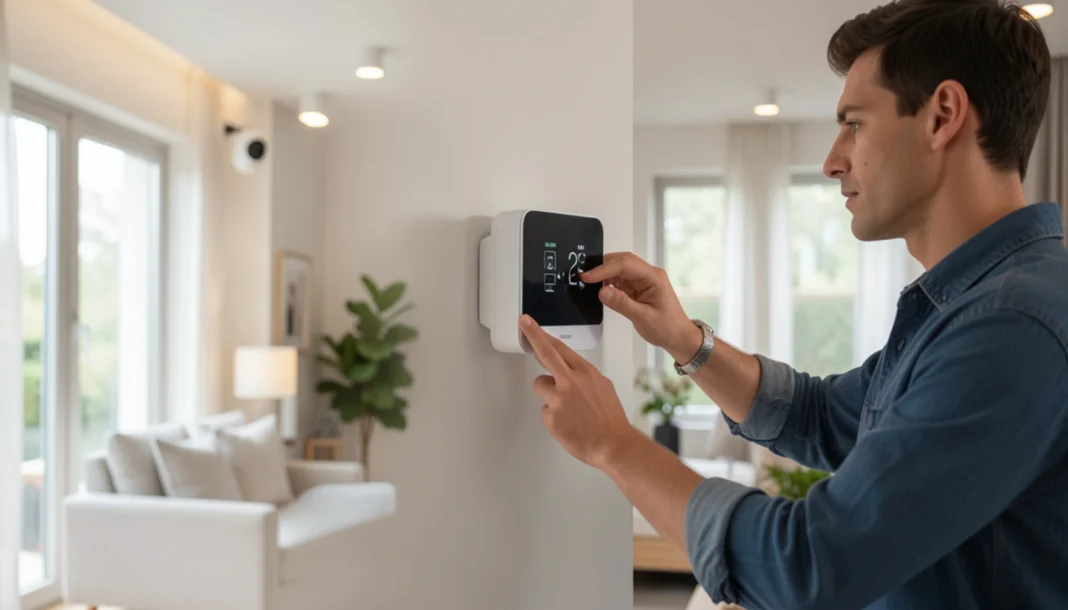
If you only install one smart device this year, make it a smart thermostat—it pays for itself faster than anything else. Devices like the Google Nest Thermostat (3rd gen) or Ecobee SmartThermostat learn your schedule, adjust automatically, and can be controlled remotely. The U.S. Department of Energy notes programmable thermostats can cut heating/cooling costs ~10% annually—and Energy Star-certified smart models like Nest or Ecobee often exceed that with occupancy learning and geofencing. Many utilities offer $50–$100 rebates for Energy Star smart thermostats—check dsireusa.org before purchasing.
Installation is within reach for most intermediate DIYers. The process involves turning off power at the breaker, removing the old thermostat, photographing the existing wire connections, and connecting the labeled wires to the new unit’s terminal block. The main complication is, again, the C-wire (common wire), which provides continuous power to the smart thermostat. Many older systems lack it. Most smart thermostats include an adapter or workaround, but if your HVAC system is more than 15 years old, confirming compatibility before purchasing is worth the phone call.
- Cost: $130–$280 for the device; $80–$150 for professional installation if needed
- Time: 30–60 minutes DIY
- Difficulty: Beginner to Intermediate
- ROI: Typically 1–3 years, depending on utility rates and usage habits
Smart Lighting and Switches
Smart lighting is the second most practical upgrade, particularly for households that want scheduling, dimming, and voice or app control without constantly replacing every bulb. The best approach for whole-room or whole-home control is smart switches, which work with standard bulbs and control the entire circuit from the wall.
For rooms where you only want occasional automation—a lamp, a reading light—smart plugs are the most affordable entry point at $15–$30 each. For budget-conscious upgrades, TP-Link Kasa switches deliver core scheduling and voice control at ~$25—half the price of premium brands, with no hub required. For rooms where you want dimming or scene control, in-wall smart dimmers offer a cleaner, more permanent solution.
If you’re starting fresh or lighting a new room, consider smart bulbs like Philips Hue or LIFX only when you need color-changing capability or extreme granularity per fixture. For most rooms, a single smart switch serving standard LED bulbs is more cost-effective and more reliable over time.
- Cost: Smart plugs $15–$30 each; smart switches $40–$80 each; smart bulb kits $30–$200
- Difficulty: Beginner (plugs), Intermediate (switches—requires basic wiring)
- ROI: Moderate—energy savings are smaller than the thermostat, but the convenience and security value (scheduled lights while traveling) is high
Smart Security Systems and Cameras
When it comes to smart home spending, security upgrades are the rare purchase that actually makes cents—and sense. A modern video doorbell (Ring, Google Nest Doorbell, or Eufy) adds package monitoring, visitor logging, and deterrence at a fraction of traditional security system costs. Outdoor security cameras with local or cloud storage give homeowners documentation in the event of incidents.
Wired cameras require running low-voltage cable (typically Cat6 or RG59 coax, depending on the system) from each camera location to a central recorder or network switch. This is a manageable DIY project in accessible attics and basements, but becomes significantly more difficult in finished walls. Battery-powered and Wi-Fi cameras eliminate the wiring challenge but require regular recharging or battery replacement.
For full-system alarm integration, systems like SimpliSafe or Ring Alarm offer professional monitoring without professional installation. If you want integration with door locks, sensors, and automation, look for systems that support Z-Wave or Zigbee, which offer more reliable and less congested communication than Wi-Fi for large sensor networks.
- Cost: Video doorbell $80–$250; outdoor cameras $50–$200 each; full alarm system $200–$600+
- Difficulty: Beginner to Intermediate (wireless); Intermediate to Advanced (wired runs)
- ROI: High—insurance discounts in some states, genuine deterrence, and documentation value
Smart Devices That Are More Novelty Than Value
Not every connected device earns its price in your home. Several categories get significant marketing attention but deliver limited practical return for most homeowners.
Smart Appliances (Refrigerators, Ovens, Washers)
Smart refrigerators with internal cameras and touchscreen displays cost $2,000–$5,000 more than comparable non-smart models. The primary features—seeing inside your fridge remotely, adding items to a grocery list—are conveniences most households rarely use after the first month. These appliances also introduce software support concerns: a refrigerator should last 15–20 years, but manufacturers rarely commit to software updates beyond 3–5 years.
Smart ovens with remote preheat are genuinely useful, but this feature is now available on mid-range models from Whirlpool and GE at little to no premium. The utility comes from the feature, not the brand premium. Unless you’re replacing an appliance that’s already due for replacement, upgrading appliances solely for smart features is difficult to justify on cost-value grounds.
Smart Blinds and Motorized Curtains
Motorized window treatments are a legitimate luxury upgrade, but at $300–$1,500 per window installed, they’re rarely a practical choice for whole-home coverage. They work well in specific situations—skylights and high windows that are genuinely difficult to reach manually, or home theater rooms where you want scene-based automation. For standard windows, manual operation is faster, quieter, and requires no battery management.
Voice-Only Smart Displays
Standalone smart displays (Echo Show, Google Nest Hub) add convenience but rarely change how a home functions. They’re better thought of as optional accessories to an existing smart setup rather than foundational upgrades. Buy one if you find it useful; don’t plan your smart home infrastructure around them.
Choosing the Right Protocol: Wi-Fi, Z-Wave, or Zigbee
The communication protocol your devices use affects reliability, range, and how many devices you can run simultaneously. This is worth understanding before you buy your first switch or sensor.
- Wi-Fi smart devices are the easiest to set up—they connect to your existing network and require no additional hub. The downside is that adding 20–40 smart devices to a standard home router introduces network congestion. Wi-Fi devices also consume more power, which matters for battery-operated sensors and locks. They work well for high-bandwidth devices like cameras.
- Zigbee and Z-Wave are low-power mesh protocols designed specifically for home automation. Each device acts as a repeater, extending the network’s range across your home. They’re more reliable for large installations and don’t congest your Wi-Fi. The trade-off is that they require a compatible smart hub (SmartThings, Hubitat, or a dedicated bridge) to connect to your network and apps.
Matter, the newer unified standard backed by Apple, Google, Amazon, and major manufacturers, is gaining traction in 2026. Devices carrying the Matter certification work across platforms without compatibility concerns. For Matter devices that use Thread, a compatible border router—built into many 2026 smart speakers like the Nest Hub (2nd gen) or Apple TV 4K—ensures low-latency, mesh-network reliability without Wi-Fi congestion. If you’re building a new system from scratch, prioritizing Matter-certified devices where available is a reasonable strategy for long-term flexibility.
Quick Protocol Reference:
- Wi-Fi: Best for cameras/high-bandwidth | No hub | Risk: congestion with 20+ devices
- Zigbee 3.0: Best for sensors/budget builds | Hub required (SmartThings/Hubitat) | Note: shares 2.4GHz with Wi-Fi
- Z-Wave Plus: Best for whole-home reliability/security | Hub required | Advantage: 908MHz avoids interference
- Matter-over-Thread: Best for cross-platform future-proofing | Thread border router sometimes needed | 2026 Outlook: Rapidly expanding
Retrofitting Smart Home Devices in Older Homes
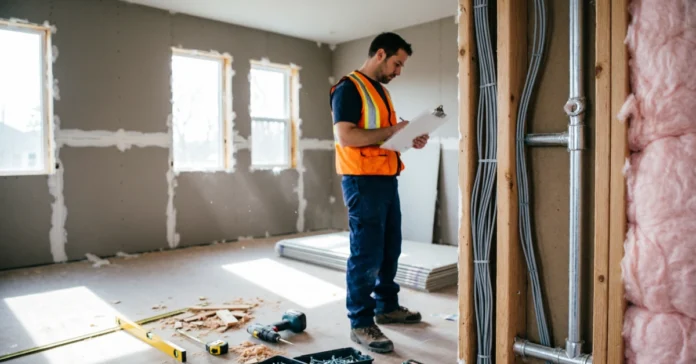
Homes built before 1990 present specific challenges: two-wire switch runs, Federal Pacific or Zinsco electrical panels that may need replacement, older HVAC systems with limited thermostat compatibility, and ungrounded outlets in some rooms.
The most practical approach for retrofitting is to start with protocol-friendly devices that don’t require rewiring. Lutron Caseta switches work without a neutral wire. Battery-operated Zigbee or Z-Wave sensors require no wiring at all. Smart plugs work in any standard outlet. This lets you build meaningful automation before committing to any electrical work.
What an Electrician Should Handle vs What You Can DIY
DIY-appropriate:
- Smart thermostat installation (if C-wire is present)
- Smart plug installation
- Smart bulb replacement
- Battery-operated sensors and locks
- Video doorbell replacement (swapping an existing wired doorbell)
Hire a licensed electrician for:
- Running new wiring for neutral wire access
- Installing smart panels or load controllers
- Any work inside your main electrical panel
- Adding circuits for EV chargers or high-load smart appliances
- Outdoor wiring for cameras or landscape lighting, not on existing circuits
Electrician rates vary by region but typically run $75–$150 per hour. Planning multiple switch upgrades into a single visit reduces the per-switch cost significantly.
Smart Home ROI: Which Upgrades Add Resale Value
Real estate research consistently shows that smart thermostats and smart security systems are the two categories most likely to be noted positively by homebuyers. They’re understood, practical, and buyers can see the immediate utility. A 2024 National Association of Realtors Technology Impact Report found 73% of buyers viewed smart security features as desirable, with smart thermostats ranking second at 68%—making these the safest upgrades for resale appeal. Cite the NAR report when discussing upgrades with realtors; it’s become a standard reference for tech-enabled home valuations.
Smart lighting has moderate resale appeal—buyers appreciate it but rarely pay a premium for it. Smart appliances, motorized blinds, and complex whole-home automation systems can actually complicate a sale if buyers are unfamiliar with the systems or concerned about maintenance.
Start with upgrades that pay you back: a smart thermostat and security system. Add convenience gadgets later—only if they solve a real problem you actually have.
FAQs
Do smart home upgrades increase home value?
Targeted upgrades—primarily security systems and smart thermostats—can add perceived value and buyer appeal. Extensive custom automation systems tend to be neutral to negative unless the buyer specifically wants them.
Can I install smart devices in a house with old wiring?
Yes, with the right device selection. Two-wire homes can use Lutron Caseta switches, smart bulbs, or battery-operated devices. A licensed electrician can assess whether your panel and wiring support additional load from new smart systems.
What’s the difference between Z-Wave and Zigbee?
Z-Wave (908 MHz) avoids Wi-Fi congestion and offers longer range—ideal for security sensors. Zigbee (2.4 GHz) supports more devices at lower cost but shares bandwidth with Wi-Fi. For new builds in 2026, prioritize Matter-over-Thread devices where available for cross-platform compatibility. Look for Zigbee 3.0 or Z-Wave Plus certification to ensure backward compatibility and extended range.
Do I need a hub for smart home devices?
It depends on the protocol. Wi-Fi devices connect directly to your router. Zigbee and Z-Wave devices require a compatible hub (SmartThings, Hubitat, or a manufacturer-specific bridge). Matter-certified devices are designed to work with existing smart home platforms without additional hardware in most cases. Verify that devices support your preferred ecosystem—Apple Home, Google Home, or Alexa—for seamless voice control and automation. Matter certification simplifies this, but always double-check compatibility lists before purchasing.
Is smart home installation a DIY project?
Much of it is. Thermostats, smart plugs, bulbs, locks, and battery sensors are all accessible to homeowners comfortable with basic tools and instruction-following. In-wall switches require basic electrical knowledge and comfort working with wiring. Anything involving your main panel or running new circuits requires a licensed electrician.