Running OpenAI in production quickly exposes hidden token leaks. A few hundred test calls balloon into thousands, and your monthly bill silently breaks unit economics. Instead of stripping features or absorbing costs, you need a lean architecture built for price efficiency from day one.
The truth is, most apps using the OpenAI API are spending 40–60% more than they need to. Not because the pricing is unfair, but because the architecture wasn’t designed with cost in mind. This guide walks you through the specific steps to fix that — starting with a usage audit and ending with a leaner, faster, and cheaper setup.
Why Your API Bill Is Higher Than It Should Be
Before touching any code, it helps to understand what’s actually driving the cost. OpenAI charges per token — roughly 0.75 words per token for English text. You’re billed for both input tokens (what you send) and output tokens (what comes back). GPT-4 costs significantly more per token than GPT-3.5 Turbo or GPT-4o mini, so model choice matters enormously.
In production, these five habits quietly drain your API budget:
- A bloated system prompts that repeat instructions on every single call
- Sending full conversation history when only the last few turns are relevant
- Using GPT-4 for tasks that GPT-3.5 handles just as well
- No caching, so identical or near-identical queries get billed repeatedly
- No output length control, letting the model write 800 words when 200 would do
Fix these five things, and you’re most of the way to a 50% reduction.
Step 1 — Audit Your Token Usage First
You can’t cut what you can’t measure. Before changing anything, get a clear picture of where your tokens are going.
Using TikToken to measure prompt size
OpenAI’s The tiktoken library lets you count tokens locally before a request is even sent. Integrate it into your logging layer and track:
- Average input tokens per request
- Average output tokens per request
- Which endpoint or feature is driving the most usage
import tiktoken

enc = tiktoken.encoding_for_model("gpt-4")
tokens = enc.encode("Your prompt text here")
print(f"Token count: {len(tokens)}")
Do this across 1,000 real requests, and you’ll likely find that 20% of your call types are responsible for 60–70% of your total cost. That’s where to start.
Identifying the biggest cost drivers
Look specifically at:
- System prompt length — are you sending 500+ tokens of instructions on every call?
- Context window padding — are you injecting large amounts of document text or history unnecessarily?
- Output verbosity — are responses consistently longer than they need to be?
Once you have this data, you have a ranked list of problems to fix. Work top-down.
Step 2 — Compress Your Prompts Without Losing Meaning
Prompt compression is the single highest-leverage technique most developers skip. The idea is simple: send fewer tokens to the model without losing the information it needs to perform well.
Remove redundancy from system prompts
Most system prompts are written once and never revisited. Over time, they accumulate redundant instructions, repeated warnings, and padding that made sense in testing but aren’t doing anything in production.
Audit your system prompt and ask: if I removed this sentence, would outputs change? If the answer is no, remove it. A system prompt that drops from 400 tokens to 180 tokens cuts that portion of your input cost by more than half, and it fires on every single call.
Practical rules:
- One instruction per point, no restating the same constraint in different words
- Remove examples from the system prompt unless they’re essential; move them to a separate few-shot template you only include when needed
- Use clear, short sentences; the model doesn’t need elaborate prose to follow instructions
Use prompt compression tools
For apps that inject large external documents or long context into prompts, manual editing isn’t enough. LLMLingua (from Microsoft Research) is an open-source tool that compresses long prompts by removing low-information tokens while preserving meaning. In benchmarks, it achieves 3–20x compression with minimal quality loss on structured tasks.
This is especially useful for:
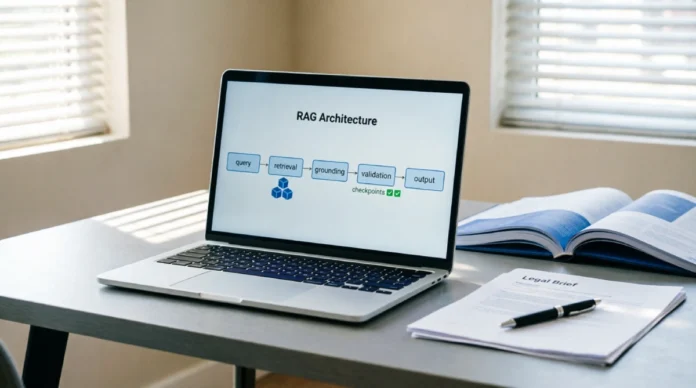
- RAG (retrieval-augmented generation) apps are injecting document chunks
- Apps passing long user histories or transcripts
- Any workflow where context size balloons per request
Step 3 — Route Tasks to the Right Model
Not every task needs GPT-4. This sounds obvious, but most codebases default to one model everywhere because it’s simpler. That simplicity is expensive.
When GPT-3.5 Turbo is good enough
GPT-3.5 Turbo costs roughly 10–15x less than GPT-4 Turbo for input tokens (as of 2024 pricing). For many task types, the quality difference is negligible:
- Text classification
- Summarization of structured content
- Simple Q&A over well-formatted data
- Reformatting or transforming text
- Extracting fields from documents
Run an A/B test: take 500 real requests from your app, run them through GPT-3.5 Turbo, and evaluate outputs against your quality threshold. You’ll often find 60–70% of requests pass without any prompt changes.
Using GPT-4o mini for cost-sensitive tasks
GPT-4o mini sits between GPT-3.5 and GPT-4 in both capability and cost. It’s faster and significantly cheaper than GPT-4 while outperforming GPT-3.5 on reasoning tasks. For most mid-complexity workflows — customer support, content drafting, code explanation — it’s the better default than either extreme.
A practical routing architecture:
- Simple/structured tasks → GPT-3.5 Turbo
- Mid-complexity tasks → GPT-4o mini
- High-stakes reasoning or complex code → GPT-4o
You can implement this as a simple classifier that routes requests based on task type, or use LangChain’s router chains if you’re already in that stack.
Step 4 — Implement Caching to Stop Paying for Repeat Queries
If your app gets any volume of similar or repeated queries, caching is where the biggest single savings come from. You’re paying full price every time a user asks a question that’s been answered before.
Exact-match caching
The simplest form: store the response to a request, keyed by the exact prompt string. On the next identical request, return the cached result and skip the API call entirely.
This works well for:
- FAQ-style applications
- Apps with a fixed set of template-based prompts
- Any workflow where system prompts + user input combinations repeat frequently
Use Redis or a simple database with a TTL (time-to-live) that matches how often your source data changes.
Semantic caching with GPTCache or LangChain
Exact-match caching misses queries that are similar but not identical. Semantic caching solves this by embedding the incoming query and checking if a semantically close query already has a cached answer.
GPTCache is the most popular open-source library for this. It integrates directly with the OpenAI SDK and supports multiple similarity backends (FAISS, Milvus, Redis). Setup is relatively lightweight:
from gptcache import cache
from gptcache.adapter import openai

cache.init()
cache.set_openai_key()

# Now use openai as normal — caching happens automatically
response = openai.ChatCompletion.create(
    model="gpt-3.5-turbo",
    messages=[{"role": "user", "content": "What is the capital of France?"}]
)
In production apps with decent query volume, semantic caching typically reduces API calls by 20–40%, depending on how repetitive your user base is. Swap direct OpenAI SDK calls for a Helicone proxy endpoint. It automatically logs token usage, deduplicates identical prompts, and applies exact-match or semantic caching rules in under ten minutes of setup.
Step 5 — Control Output Length Aggressively
Every token the model generates costs money. If your app doesn’t need long responses, stop asking for them.
Two direct levers:
1. Set max_tokens explicitly. Don’t leave it open-ended. Instead of hoping the model self-regulates, enforce hard limits based on your UI constraints. If your interface displays a 3-sentence summary, set `max_tokens=90` and add `”Respond in under 60 words. No preamble.”` to the prompt. Uncapped outputs will always trend verbose, draining your budget.
2. Instruct the model to be concise in the prompt itself. Add explicit constraints like “Respond in under 100 words” or “Return only the JSON object, no explanation.” Models follow these instructions reliably, and it cuts output tokens significantly.
For strict length control, pair max_tokens with OpenAI’s JSON Schema feature. This forces the model to return only the requested data structure, eliminating conversational filler that wastes 60%+ of output tokens.
Step 6 — Use the Batch API for Non-Real-Time Work
OpenAI’s Batch API offers a 50% discount on input and output tokens in exchange for async processing with up to a 24-hour turnaround. If any part of your workflow doesn’t need a real-time response, this is free money.
Good candidates for batch processing:
- Nightly data enrichment jobs
- Bulk content generation pipelines
- Preprocessing training data
- Generating embeddings for large document sets
- Any background analysis task
The Batch API uses the same models and the same quality — you’re just accepting a delay in exchange for half-price compute. Most teams that have batch-compatible workloads aren’t using this, which means they’re paying double for no reason.
Common Mistakes That Keep Your Costs High
Even after implementing the steps above, a few recurring mistakes tend to undo the savings:
- Sending full chat history on every turn. Use a sliding window — the last 4–6 turns is usually enough for a coherent conversation. Summarize older turns instead of injecting them raw.
- Using embeddings inefficiently. If you’re running a similarity search, cache your embeddings. Re-embedding the same documents on every query is wasteful.
- Not version-controlling prompts. Prompt changes that increase token count sneak into production without anyone noticing. Track every prompt iteration with PromptLayer. Tag each version, monitor its average input/output token count, and roll back instantly if a tweak pushes your cost-per-call above baseline.
- Ignoring the streaming tradeoff. Streaming improves perceived speed but doesn’t reduce token cost. Don’t assume it does.
- Testing with GPT-4, shipping with GPT-4. Run your quality benchmarks on cheaper models before defaulting to the most expensive option.
How Much Can You Actually Save?
Here’s a realistic breakdown for a mid-volume app running 100,000 requests per month on GPT-4 Turbo:
| Tactic | Estimated Savings |
|---|---|
| Prompt compression (30% token reduction) | ~15–20% |
| Model routing (60% of calls → GPT-4o mini) | ~20–25% |
| Semantic caching (30% cache hit rate) | ~15–20% |
| Output length control | ~5–10% |
| Batch API for async work | ~5–10% |
Savings overlap, but stacking these tactics consistently slashes total spend by 45–60%. Your users won’t notice the difference, but your invoice will.
The key insight: cost reduction and quality aren’t in opposition here. Bloated prompts don’t produce better outputs. Paying for repeat queries doesn’t improve them. Routing a classification task to GPT-4 doesn’t make the classification more accurate. Most of what drives API costs up is engineering default behavior, not product necessity — and that’s exactly what makes it fixable.
FAQs
Q. How much does GPT-4 cost per API call?
GPT-4 pricing scales by token usage, not per-call fees. Current input costs sit at $0.01 per 1K tokens and output at $0.03 per 1K tokens. A standard 800-token exchange typically costs ~$0.014, though exact totals depend on prompt structure and response length. Use the official OpenAI Pricing Calculator to model exact costs based on your app’s token volume before deployment.
Q. Can I use GPT-3.5 instead of GPT-4 without losing quality?
For many tasks — summarization, classification, simple Q&A, text reformatting — yes, with little to no noticeable difference. GPT-4 earns its cost on complex reasoning, nuanced writing, and multi-step logic. Test your specific use case before assuming you need it.
Q. What is prompt compression, and does it work?
Prompt compression removes low-value tokens from long inputs while keeping the meaning intact. Tools like LLMLingua do this automatically and can reduce prompt size by 3–10x on document-heavy tasks with minimal quality loss.
Q. How do I track token usage in my app?
Use OpenAI’s tiktoken library to count tokens before sending requests, and log the usage field returned in every API response. This gives you both pre-call estimates and post-call actuals to spot where costs are accumulating.
Q. What’s the cheapest OpenAI model that still performs well?
GPT-4o mini is the strongest option at the low end right now — it outperforms GPT-3.5 on reasoning while costing a fraction of GPT-4. For purely structured or classification tasks, GPT-3.5 Turbo is still a solid and cheaper choice.
Q. Does caching reduce OpenAI API costs?
Yes, and it’s one of the highest-impact tactics available. Exact-match caching eliminates repeat API calls entirely. Semantic caching (via tools like GPTCache) extends that to similar queries, typically cutting call volume by 20–40% in apps with recurring user patterns.