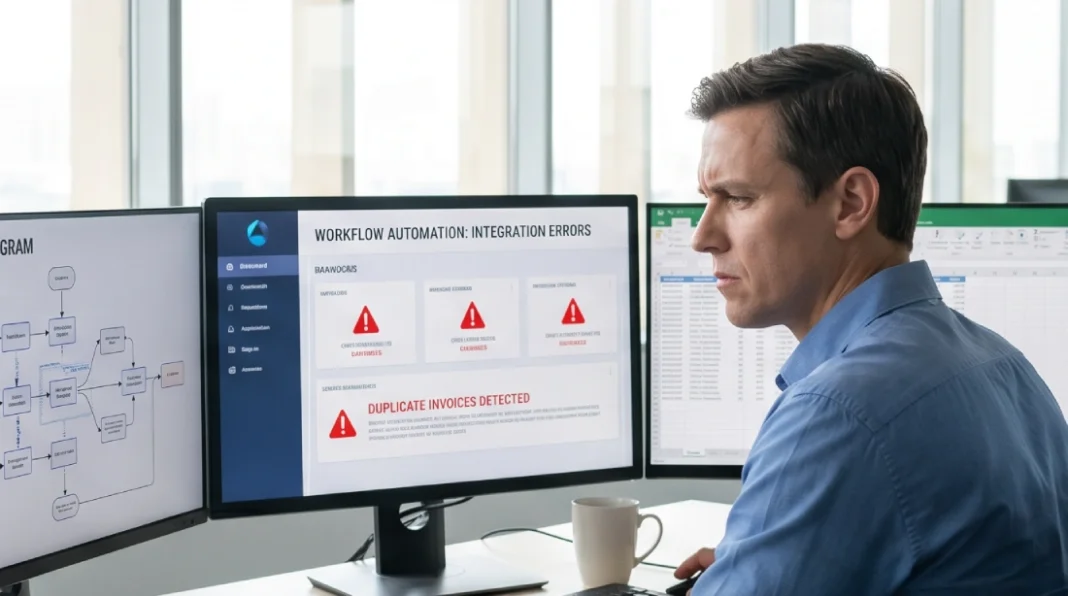
A few months ago, a mid-sized logistics company decided to automate its invoice processing. They picked a popular tool, connected it to their accounting software, and went live in a week. Three days later, invoices were duplicating, payment records were corrupting, and their finance team spent two weeks manually cleaning the mess.
The automation logic functioned as designed—but the integration layer between systems failed, causing duplicate invoices and corrupted payment records.
Here’s the truth: most automation failures aren’t about the tool you picked. They happen when teams rush the integration—connecting new software to their existing stack without a clear map. This guide walks you through a process that prevents exactly that: mapping before automating, choosing tools that fit your stack, and testing before you commit.
Why Most Automation Projects Fail Before They Start
Most teams approach automation backwards. They find a tool, get excited about what it can do, then figure out how to make it fit their existing systems. This is how you end up with broken data pipelines, duplicate records, and staff who stop trusting the output.
The failure usually comes down to three root causes:
- No workflow audit first — skipping a process mapping framework like SIPOC or value stream mapping means you’re automating inefficiencies, not fixing them
- Wrong tool tier — using heavy RPA where a simple Zapier trigger would do, or the reverse
- No integration testing — going live on production systems without testing on a copy
The good news? You can prevent all three—with a disciplined approach before you write a single automation rule.
Step 1 — Map Your Workflows Before Touching Any Tool
Before selecting any software, you need a clear picture of what you’re actually automating. This sounds obvious, but most teams skip it because it feels slow. It will save you weeks.
Pick one workflow to start — something your team does repeatedly, at least a few times per week. Walk through every step it currently takes, from trigger (what starts the task) to completion (what signals it’s done).
What to Document in Each Workflow
For each workflow you map, capture:
- Trigger: What starts this process? (email received, form submitted, time of day, file uploaded)
- Steps: List every manual action in sequence, including decisions
- Inputs and outputs: What data enters, what data leaves, and in what format
- Systems touched: Every app, tool, or database involved
- Frequency: How many times per day/week does this happen?
- Error rate: How often does it go wrong with humans doing it?
This documentation? It becomes your test specification later—so you’ll know exactly what ‘working’ looks like before you launch. If you can’t describe the workflow clearly in writing, you’re not ready to automate it. For complex processes, consider process mining tools like Celonis to automatically discover actual workflow patterns from system logs.
Step 2 — Identify What’s Actually Worth Automating to Automate Business Processes
Not every repetitive task is a good automation candidate. Some tasks look repetitive but require judgment that’s hard to encode. Others are so infrequent that automation adds more maintenance overhead than it saves.
The Automation Viability Test
Before committing to automating a workflow, run it through these four filters:
- High volume: Does it happen at least 10+ times per week? Low-frequency tasks rarely justify the build and maintenance cost.
- Rule-based: Can you write explicit if/then rules that cover 90%+ of cases without human judgment? If the answer is often “it depends,” hold off.
- Stable inputs: Does the incoming data arrive in a consistent format? Automation breaks on inconsistent input — especially if humans are creating that input.
- Clear completion state: Is there an unambiguous way to know the task is done correctly? If success is subjective, automation can’t self-verify.
If a task passes all four filters, it’s a strong candidate for automation—and you can move forward with confidence. Tasks that fail on rules or stability need process fixes before automation.
Strong early candidates for most businesses include: new lead routing, invoice data entry, employee onboarding checklists, report generation, support ticket categorization, and recurring data syncs between tools.
Pro tip: Prioritize tasks that are high-frequency AND low-judgment first. Use this framework: [High Volume/Low Complexity] = Automate Now; [High Volume/High Complexity] = Pilot First; [Low Volume] = Defer or Document.
Step 3 — Workflow Automation Strategy: Understand Your Business Process Automation Tools (and Their Trade-offs)
The automation tooling landscape has three distinct tiers. Picking the wrong one is expensive — not just in licensing cost, but in engineering time and maintenance.
No-Code Automation Tools
These are the right starting points for most businesses. They work through a visual interface: you define triggers and actions by connecting existing apps without writing code.
- Zapier is the most widely used. It connects 6,000+ apps and handles straightforward trigger-action flows well. Pricing scales with task volume — free tier is usable for testing, paid plans start around $20/month and increase significantly at scale.
- Make (formerly Integromat) handles more complex, multi-step workflows with branching logic, data transformation, and error routing. More capable than Zapier for complex flows, and generally more cost-efficient at volume. Steeper learning curve.
- n8n is open-source and self-hostable, which matters if you have data residency requirements or want to avoid per-task pricing. Requires more technical comfort to set up, but gives you full control.
These tools are appropriate when your workflow connects apps that already have APIs, the logic is clear, and the volume is moderate. They are not the right choice when you need to interact with desktop applications, legacy systems, or software without APIs.
RPA vs AI Automation — What’s the Real Difference
This distinction matters and is frequently misunderstood.
RPA (Robotic Process Automation) mimics human interaction with software at the UI level. Tools like UiPath, Automation Anywhere, and Microsoft Power Automate Desktop can click buttons, read screens, fill forms, and extract data — even from systems with no API. RPA is the right choice when you’re dealing with legacy software, desktop applications, or systems you can’t integrate with directly.
RPA bots are fragile. They break when screen layouts change, software versions update, or button positions shift. RPA requires ongoing maintenance and is expensive to build properly — implementation typically runs $20,000–$100,000+ for enterprise deployments.
AI automation (tools like Bardeen, Relevance AI, or AI-augmented features in Make/Zapier) handles tasks where the input isn’t perfectly structured. It can interpret natural language, extract meaning from unstructured documents, classify emails by intent, or generate draft responses. It’s the right layer when your workflow involves interpreting content, not just moving it.
The key question is: does your process require reading and understanding content, or just moving structured data from A to B? If the latter, no-code tools are sufficient. If content needs interpretation, add an AI layer. If you’re dealing with legacy systems, RPA is your only path.
When to Use Middleware vs Native Integrations
Many SaaS tools have built-in automation features — HubSpot’s workflows, Salesforce Flow, and Jira automation rules. Before adding a third-party tool, check whether your existing software already handles the use case natively.
Native integrations are more reliable, easier to maintain, and don’t add another service to your stack. The downside: they’re limited to that platform’s ecosystem.
Use middleware (Zapier, Make, n8n) when you need to connect systems from different vendors. Use native automation when you’re staying within one platform.
Step 4 — Build Your First Automation Without Breaking Existing Systems
Here’s where most teams create problems: they build directly on live production systems.
Sandbox Testing and Rollback Planning
Before touching live data, set up a test environment. Most major SaaS tools offer sandbox or development instances — use them. If your tool doesn’t offer sandboxing, create a duplicate workflow with test data (fake contacts, dummy invoices, test records) that mirrors your real use case.
Your build process should follow this sequence:
- Build in sandbox: Create the full automation using test data only
- Run 20+ test cases: Include edge cases using API testing tools like Postman — what happens when a field is empty? When two triggers fire simultaneously? When an API call fails?
- Document the failure modes: Note what breaks and how the system behaves when it does, using standard error handling patterns: implement retry logic for transient API failures and dead letter queues for unprocessable records to prevent data loss
- Define your rollback: Know exactly how to disable the automation and revert to manual if something goes wrong post-launch
- Go live with monitoring active: Don’t launch and walk away — watch the first 50–100 real executions manually
The rollback plan is non-negotiable. If you can’t disable the automation within five minutes and revert to manual, you’re not ready to launch.
Step 5 — Monitor, Measure, and Expand
Automation is not a set-and-forget system. Pair technical monitoring with a change management framework like ADKAR to ensure team adoption and process compliance as workflows evolve. Tools update their APIs, data formats drift, upstream processes change, and what worked six months ago may silently fail today.
Set up monitoring for every automation you run:
- Execution logs: Most tools (Zapier, Make, n8n) show a log of every run. Check these weekly at a minimum
- Error alerts: Configure email or Slack alerts for any failed execution — don’t rely on noticing things manually
- Output validation: Spot-check 5–10 completed tasks per week against expected output until you trust the system
- Volume tracking: If your automation suddenly processes 3x normal volume, that’s either a bug or an upstream process change you need to know about
For measuring ROI, track: time saved per week (hours × hourly cost), error rate before vs after, and processing volume increase. Most businesses see a 60–80% time reduction on well-automated tasks, based on typical benchmarks from no-code automation deployments in mid-market operations. Set your baseline before launch, so you have something to measure against.
Once your first automation is stable — meaning it’s run cleanly for 30+ days with no manual intervention — you can expand. Don’t expand until it’s stable. Adding automation on top of unstable automation multiplies your problems.
Common Integration Mistakes (and How to Avoid Them)
These are the specific failure points that cause the most damage:
- Mapping fields incorrectly between systems. When connecting two tools, a “contact name” field in one system may be structured differently in another (full name vs first/last split). Always verify field mapping with sample data before going live. Define data validation rules upfront—like required formats or value ranges—to catch mismatches before they corrupt downstream systems.
- Not accounting for rate limits. Most APIs limit how many requests you can make per minute or per day. If your automation sends 500 requests in a minute and the API caps at 100, you’ll hit errors that corrupt partial data. Check the API docs of every system you’re connecting.
- Ignoring authentication expiry. OAuth tokens and API keys expire. When they do, your automation silently stops working. Build in monitoring for authentication failures, and set calendar reminders to rotate credentials before they expire.
- Automating a process that isn’t documented or standardized. If your team does the same task four different ways, automation will encode one way and break for the other three. Standardize the process manually first.
- Connecting automation to systems that change frequently. If a tool updates its UI or API regularly, RPA and some integrations will break on every update. Build on stable APIs, not fragile UI-level scraping.
What Business Processes Are Best to Automate First
If you’re unsure where to start, these categories consistently deliver high returns with low integration risk:
- Data entry and sync: Moving information between tools (CRM to spreadsheet, form submission to database, email data to CRM). High volume, rule-based, minimal judgment required.
- Notification and routing: Sending alerts when something happens, routing tasks to the right person based on criteria. Low complexity, high frequency.
- Report generation: Pulling data from multiple sources into a standard format on a schedule. Time-consuming to do manually, easy to automate with stable data sources.
- Onboarding sequences: New employee or new customer onboarding checklists, account provisioning, welcome emails. Consistent, high-repetition, easy to document.
- Invoice and billing processing: Data extraction from invoices, approval routing, and payment status updates. High value, especially with AI-assisted extraction for unstructured formats.
Avoid starting with anything that involves customer-facing outputs, financial transactions going directly to payment systems, or processes with high variability in inputs. Get your fundamentals right first.
FAQs
Q. What’s the difference between RPA and AI automation?
RPA automates UI interactions like clicking and form-filling. AI automation interprets unstructured content like emails or documents. Choose RPA for legacy systems; AI for content understanding.
Q. Can I automate workflows without writing code?
Yes. Business process automation tools like Zapier, Make, and n8n handle common workflows visually. You’ll only need code for custom or legacy systems without standard APIs.
Q. How long does it take to see ROI from workflow automation?
Simple workflow automation (data sync, notifications) often delivers ROI within a month. Complex RPA deployments may take 6–12 months. Start with high-volume tasks for fastest return.
Q. What should I automate first?
Start with the task your team does most often, hates most, and follows clear rules. High frequency + low judgment = strong automation candidate for business workflow automation.
Q. How do I prevent automation from breaking when tools update?
Use API-based integrations over UI-based ones. Monitor execution logs weekly. Configure error alerts. Build a rollback plan before every launch to protect your workflow automation strategy.