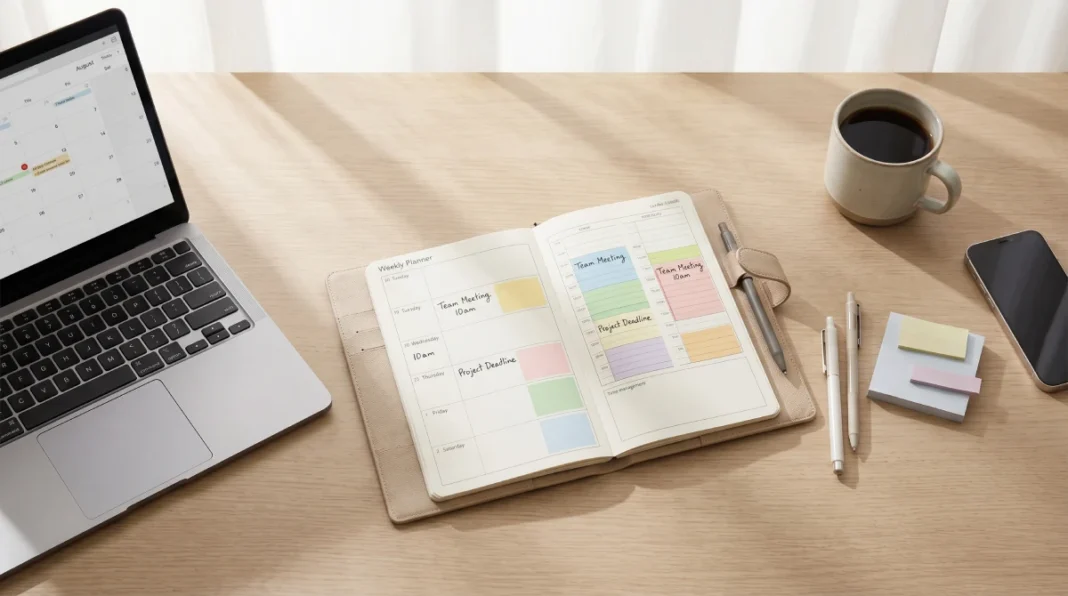
Want to stop feeling overwhelmed by your week? Designing your ideal week with the time blocking productivity framework lets you work from a strategic template that protects focus time, balances priorities, and cuts decision fatigue before your Monday even starts. Instead of reacting to whatever appears in front of you, you work from a structured template that protects your focus time, balances your workload, and reduces daily decision fatigue.
Why Most Weekly Plans Fall Apart Before Wednesday
Sunday evening, you open your planner with good intentions. You map out tasks, set goals, and feel prepared. By Tuesday afternoon, it’s already collapsed — an unexpected meeting ate your focus time, a backlog of messages killed your morning, and the priorities you planned around didn’t match what actually needed attention.
Here’s the truth: your week isn’t failing because you lack discipline—it’s failing because the system wasn’t designed to handle real life.
Most people plan their weeks around tasks instead of time. They build a to-do list and assume the hours will accommodate it. They don’t account for energy shifts, context-switching costs, or the sheer number of interruptions a normal workday contains. The result is a week that feels busy but produces little.
Ideal week planning fixes this at the structural level, before the week even starts.
What “Ideal Week” Actually Means (And What It Doesn’t)
An “ideal week” is not a perfect week. It’s a template — a default structure you return to repeatedly, designed around how you actually function rather than how you wish you functioned.
The concept was formalized by productivity researcher Michael Hyatt, but the underlying logic is much older: if you don’t design your time, someone else will design it for you.
Don’t try to schedule every minute—that rigid approach crumbles the moment real life interrupts (and it will). Instead, you’re creating a reliable skeleton — predictable blocks for your most important work, protected space for recovery, and enough flexibility to handle what you didn’t see coming.
Done well, it reduces the mental overhead of deciding what to do next. Done badly, it becomes a rigid system you abandon by day three.
Step 1 — Map Your Energy, Not Just Your Hours
Before you build any template, you need to understand one thing: not all hours are equal.
Most people have a clear cognitive peak — usually a 2–4 hour window where their thinking is sharpest, their focus deepest, and their output highest. Chronobiology research, including insights referenced by the National Sleep Foundation, indicates most people experience a cognitive peak in the mid-morning window (roughly 9–11 am), though individual chronotypes like ‘night owls’ may shift later. The post-lunch window (1–3 pm) is consistently the weakest period for most people, regardless of sleep schedule.
Scheduling your hardest work outside your peak hours is one of the most common and costly mistakes in weekly planning.
High-Energy vs. Low-Energy Time Blocks
High-energy blocks are for work that requires full concentration:
- Writing, strategic thinking, and complex problem-solving
- Creative projects, deep analysis, skill-building
- Any task where interruption is expensive
Low-energy blocks are for work that requires less cognitive load:
- Email and messages, administrative tasks
- Scheduling, routine check-ins, and light reading
- Organizing, filing, prep work
Before touching your template, spend 3–5 days noticing when you feel sharp versus sluggish. Don’t guess — observe. Your template should be built around what you find, not what sounds logical in theory. For a more precise starting point, take a free chronotype assessment like the Morningness-Eveningness Questionnaire to identify whether you’re a lion, bear, wolf, or dolphin type—and schedule deep work accordingly.
Step 2 — Categorize Your Weekly Commitments
The next step is getting your actual life onto paper. Most people discover they have far more recurring commitments than they realized — and far less discretionary time.
Categorize everything that claims your week into four buckets: Use the Eisenhower Matrix as a quick filter: if a commitment isn’t urgent AND important, it likely belongs in shallow work or gets delegated—freeing space for your deep work blocks.
- Fixed commitments — meetings, school runs, medical appointments, anything with an external time constraint
- Deep work — focused, high-priority tasks that move the needle on your most important goals
- Shallow work — necessary but low-complexity tasks (email, admin, logistics)
- Recovery and personal — exercise, meals, sleep, family time, downtime
The ratio of these four categories tells you a lot. If you have almost no deep work time after logging fixed commitments and shallow work, that’s your real problem — not lack of motivation.
A useful rule: before you add anything to your week, identify what category it belongs to. If it doesn’t fit a category, question whether it belongs in your week at all.
Step 3 — Build Your Time Blocking Template
Now you’re ready to build. The time blocking method works by assigning categories, not specific tasks, to time slots. This is what makes it a template rather than a daily to-do list.
A time block is a protected window dedicated to a type of work. Monday morning from 8–10 am is “deep work.” Every Monday. Not “finish the report” one week and “prepare slides” the next, those are tasks. The block is the container; the task fills it based on current priorities.
A Sample Ideal Week Template
This is a starting framework for someone with a standard work week. Adjust based on your energy peaks and commitments.
🗓️ Monday Deep Work Template:
- 8:00–10:00 am → Deep work (high-priority project)
- 10:00–10:30 am → Break + message triage
- 10:30 am–12:00 pm → Deep work continued
- 1:00–3:00 pm → Shallow work batch (email, admin)
- 3:00–5:00 pm → Meetings/collaboration window
Tuesday–Wednesday (same structure as Monday)
- Protect mornings for deep work
- Batch meetings and calls into the afternoon, where possible
Thursday
- Morning: Deep work
- Afternoon: Creative or strategic planning work
- End of day: Weekly prep and priority review for Friday
Friday
- Morning: Complete open tasks, clear backlog
- Afternoon: Weekly review (see below), personal admin
- End of day: Full shutdown — no carryover into weekend
Every day:
- Defined start and end times
- Lunch and breaks are non-negotiable blocks, not things you skip when busy
The exact hours will shift based on your job, family commitments, and energy patterns. What matters is the logic: protect deep work time early, batch shallow work together, and keep meetings contained.
Step 4 — Protect the Blocks That Matter Most
Building the template is the easy part. Keeping it intact is where most people fail.
Deep work blocks get eroded first — they’re the ones that look “flexible” to everyone else. A meeting request lands at 9 am on Tuesday, your best focus window, and you accept it because nothing was “officially” scheduled there.
A few ways to protect your blocks without damaging your professional relationships:
- Put blocks on your calendar visibly. A blocked calendar slot is harder to schedule over than a mental intention. Name it clearly: “Focus — do not book.”
- Batch meeting requests. Tell colleagues your available windows for meetings (afternoons, or specific days). Most requests are flexible — people just don’t offer an alternative.
- Use a communication lag. You don’t need to respond to every message the moment it arrives. Set two or three fixed windows per day for messages and hold to them.
- Build buffer blocks. Put 30-minute buffers between major blocks to absorb overruns. Without them, one delay cascades through the whole day.
- Tools like Reclaim.ai can auto-defend your focus blocks by rescheduling lower-priority meetings when conflicts arise, so your ideal week template stays intact without manual negotiation.
You’re not aiming to ghost your team—you’re strategically protecting your peak hours, during the hours that matter most.
Common Mistakes That Break a Time-Blocked Week
- Scheduling too tightly. Leaving zero space between blocks guarantees that one disruption breaks everything. Built in Slack.
- Planning tasks instead of categories. A time-blocked week works because the template is stable week to week. If you’re scheduling specific tasks into the calendar, you’re rebuilding the system every Sunday — and it will stop happening within a month.
- Ignoring energy. Scheduling deep work at 2 pm because it “fits” logistically, while ignoring that your brain is at its lowest point, is a recipe for poor output and frustration.
- Not protecting personal recovery time. Sleep, exercise, and genuine downtime are not bonuses you earn after finishing work. They’re inputs that determine the quality of everything else. Schedule them with the same weight as a client meeting.
- Treating the template as permanent. Your life changes. Review the template every 4–6 weeks and adjust. A template built for a busy project phase will look different from one built for a slower period — and that’s correct.
FAQs
Q. How many hours should I block for deep work per week?
Most professionals sustain 3–4 hours of genuine deep work daily using Cal Newport’s deep work methodology. Target 15–20 hours of protected focus time weekly in your ideal week template—beyond this, diminishing returns typically set in unless you’ve trained high-focus capacity.
Q. What’s the difference between time blocking and a to-do list?
A to-do list tells you what to do. Time blocking tells you when to do it and for how long. The two work together — but the to-do list sits inside the block, not the other way around.
Q. How do I handle interruptions that break my blocks?
Expect them. Build buffer time into your day specifically to absorb unexpected requests. When something breaks a block, complete the interruption and return to the block if time remains. If it’s gone, move the work — don’t try to squeeze it into recovery or personal time.
Q. Do I need special tools to plan my ideal week?
No. A blank calendar — paper or digital — is enough. In 2026, tools like Google Calendar, Notion, or Reclaim.ai—plus emerging AI assistants like Motion or Clockwise—can auto-schedule your ideal week blocks around real-time changes, so your template adapts without manual rework. Notion’s database views let you create recurring weekly templates with drag-and-drop time blocks, making it easy to adjust your ideal week structure without rebuilding from scratch each Sunday. Don’t let tool selection become a reason to delay starting.
Q. How long does it take for ideal week planning to become a habit?
Expect 3–4 weeks before it starts feeling natural, and 8–12 weeks before it’s a reflex. The first two weeks will feel forced. That’s normal — it’s not a sign the system doesn’t work.